Virtual Backgrounds That Brand Every Meeting
Generate branded virtual backgrounds for every video call. Your name, title, company, and card QR code stay visible to everyone in the room, even when you're not speaking.
What Are Kilala Virtual Backgrounds?
Kilala virtual backgrounds are custom images designed for video calls. Each one displays your professional details: name, title, company, and a QR code that links to your digital card. Download them instantly and use them in Zoom, Teams, Google Meet, or any platform that supports virtual backgrounds.
Your Brand, Always Visible
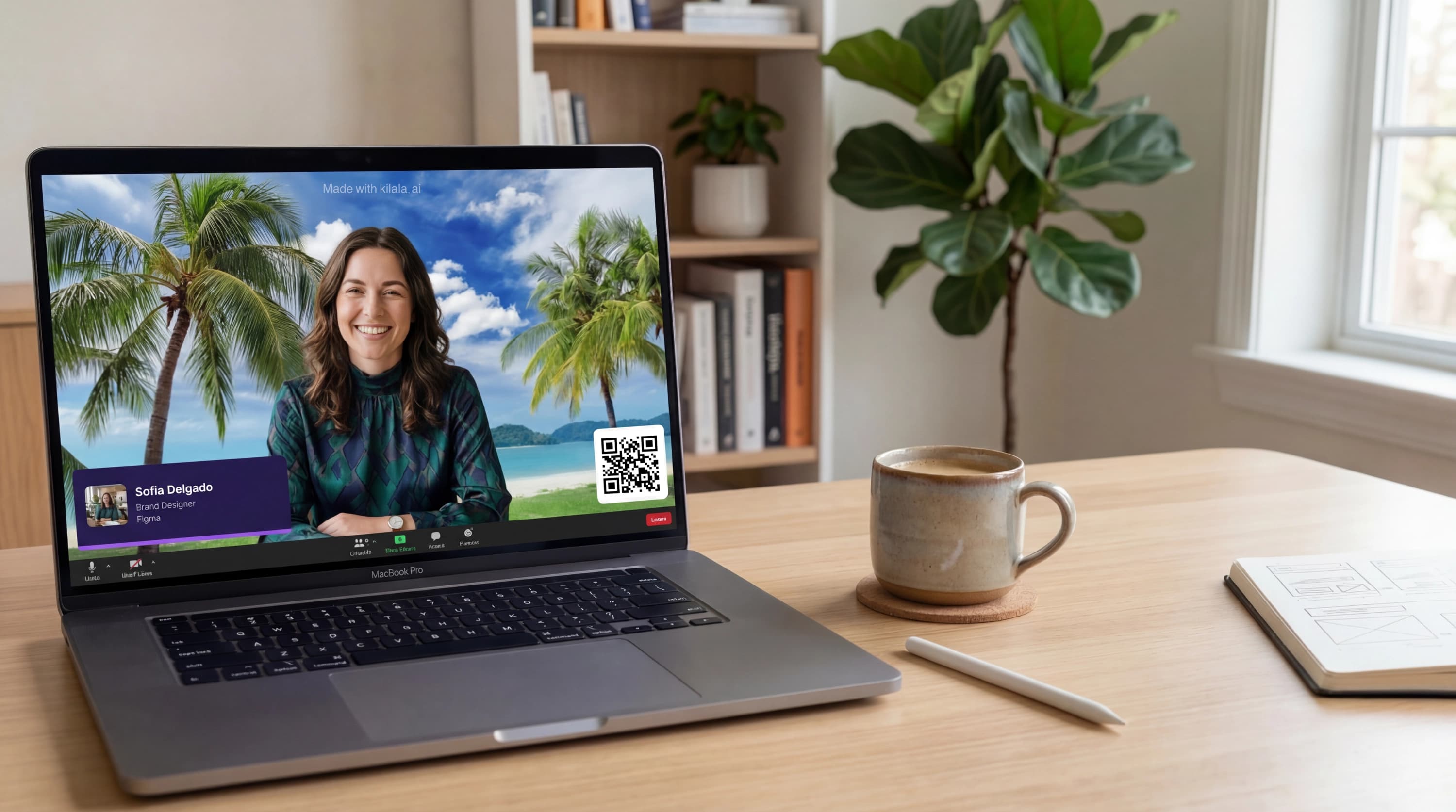
Name, title, and company stay front and center in every meeting. Whether you're presenting to clients or joining a team standup, everyone knows exactly who you are without asking.
QR Code Built In
Your virtual background includes a QR code that links directly to your digital card. Attendees scan it mid-meeting to save your contact info, view your profile, or fill out your lead form without the awkward 'let me send you my details' moment.
Set the Scene. Set the Tone.
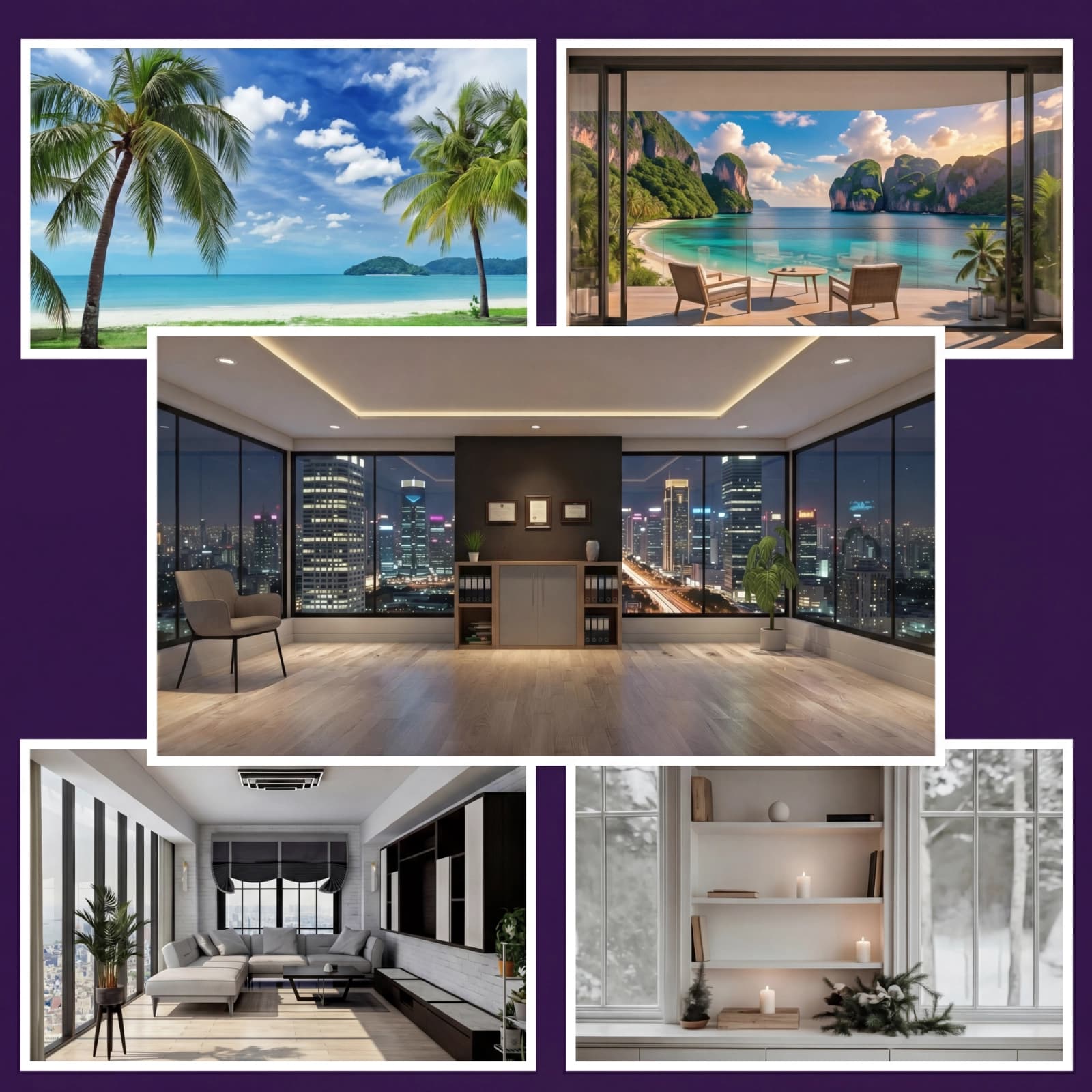
Skyline offices, tropical beaches, minimalist studios: choose the backdrop that says what you want before you say a word. Every background is branded with your name, title, and QR code, so you look polished no matter which you pick.
How It Works
Professional virtual background in under a minute
Generate Your Background
Open the virtual backgrounds tool in your dashboard. Kilala pulls your name, title, company, and QR code from your card automatically.
Choose a Style
Pick from clean, professional styles designed for video calls. Each one is optimized for readability at video resolution.
Download & Apply
Download the image and set it as your virtual background in Zoom, Teams, Google Meet, or any platform that supports custom backgrounds.
Works on Every Major Video Platform
Your background works wherever video calls happen. Zoom, Microsoft Teams, Google Meet, Slack: just upload the image and you're set. Optimized at 1920x1080 for crisp display on any screen.
Make Every Call Count
Your virtual background works for you, even when you're on mute
Client Calls
First impressions happen on camera. A branded background tells clients you're professional, prepared, and easy to reach before you say a word.
Webinars & Panels
Speaking to 50 or 500 people? Your name, title, and QR code are visible to everyone. Attendees can scan your code and connect without waiting for a follow-up email.
Company-Wide Meetings
Give your entire team a consistent, professional presence on video calls. Same style, personalized details, and a company that looks polished from every camera.
Remote Networking Events
Virtual happy hours, industry meetups, and online conferences become easier when your background introduces you, so you can focus on the conversation.
Frequently Asked Questions
Kilala virtual backgrounds work with Zoom, Microsoft Teams, Google Meet, Slack, and any other platform that allows custom virtual background images. Just download and upload.
All backgrounds are generated at 1920x1080 (Full HD), the standard for video call virtual backgrounds. They'll look crisp on any screen.
The background pulls data from your Kilala card automatically. You can choose which details to include and select from multiple professional styles. The layout and typography are optimized for readability.
Yes. The QR code is large enough for other participants to scan directly from their screen during the call. It links to your digital business card, so they can save your info or submit a lead form instantly.
Each team member generates their own background from their Kilala card. The style is consistent across the team, but each background shows that person's unique details and QR code.
Yes. Virtual backgrounds are included with every Kilala account. Generate and download as many as you need.
Your network is bigger than the people you meet
Every LinkedIn connection, every email thread, every group chat: that's your real network. Stop hoping people remember you. Give them a link they can actually use.
No commitment. Cancel anytime.