Scan Any Business Card. Save Every Detail.
Point your phone's camera at any business card. Kilala's AI reads the text, extracts every contact detail, and saves it to your dashboard with no typing, no lost cards, and no missed connections.
What is the Kilala AI Card Scanner?
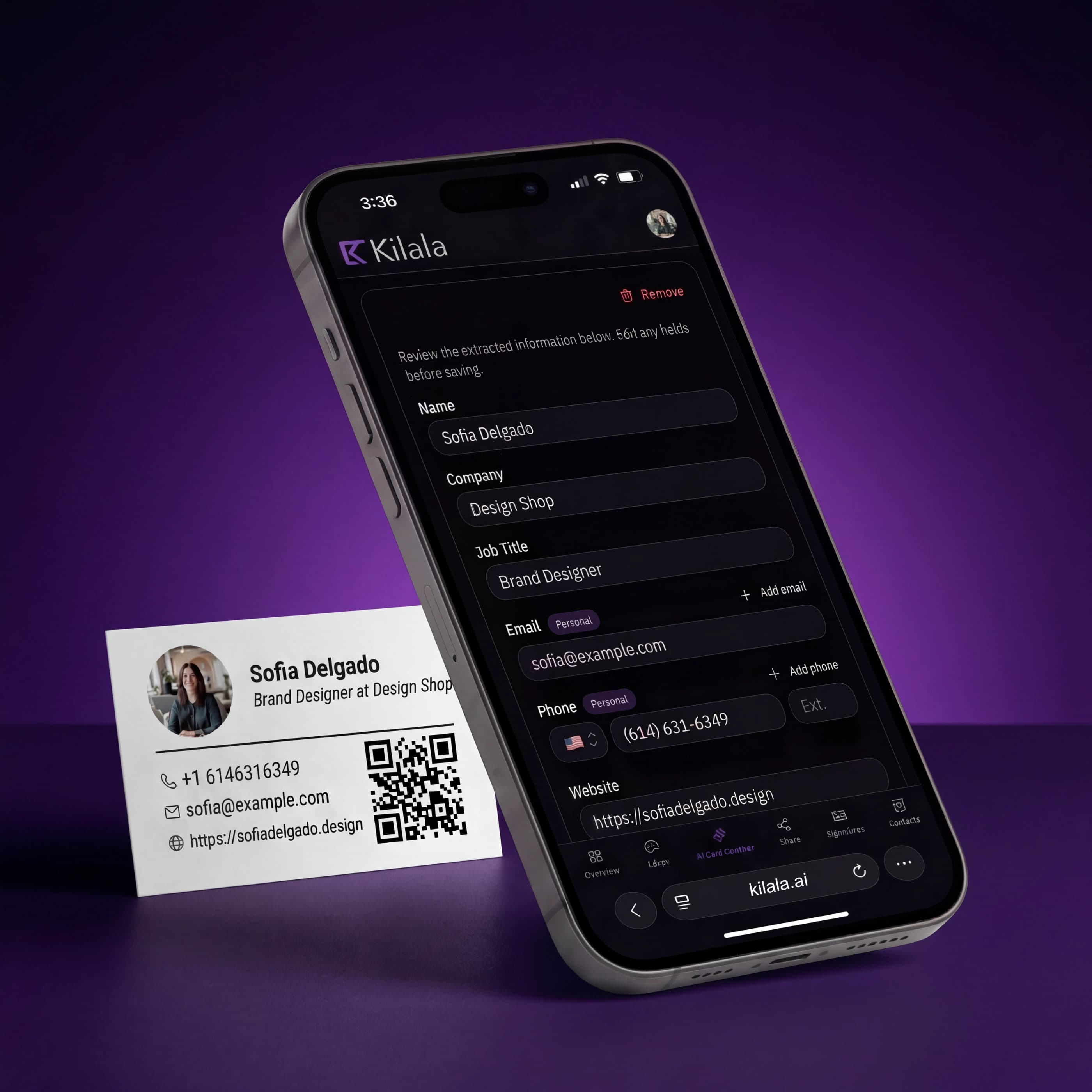
The AI card scanner reads paper business cards through your phone's camera. It identifies names, job titles, companies, phone numbers, emails, websites, and social profiles, then organizes everything in your contacts automatically.
Instant Extraction
Snap a photo, get a contact. The AI processes the card in under two seconds, reading text, logos, and layout to extract every detail accurately. No manual typing, no transcription errors.
Smart Field Detection
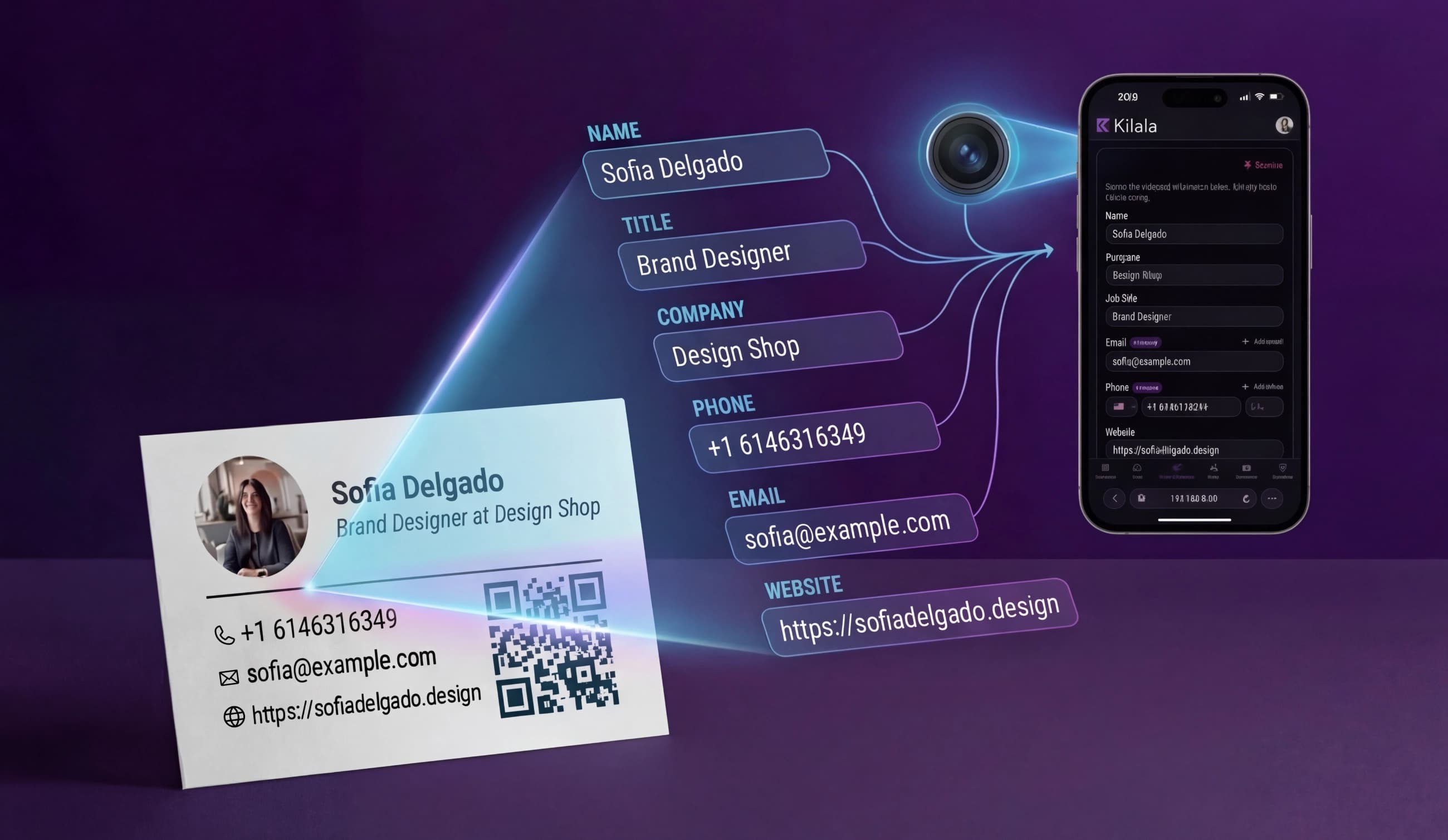
The AI doesn't just read text. It understands context. It knows the difference between a phone number and a fax number, a name and a company, a website and a social profile. Every field lands in the right place.
Organized Automatically
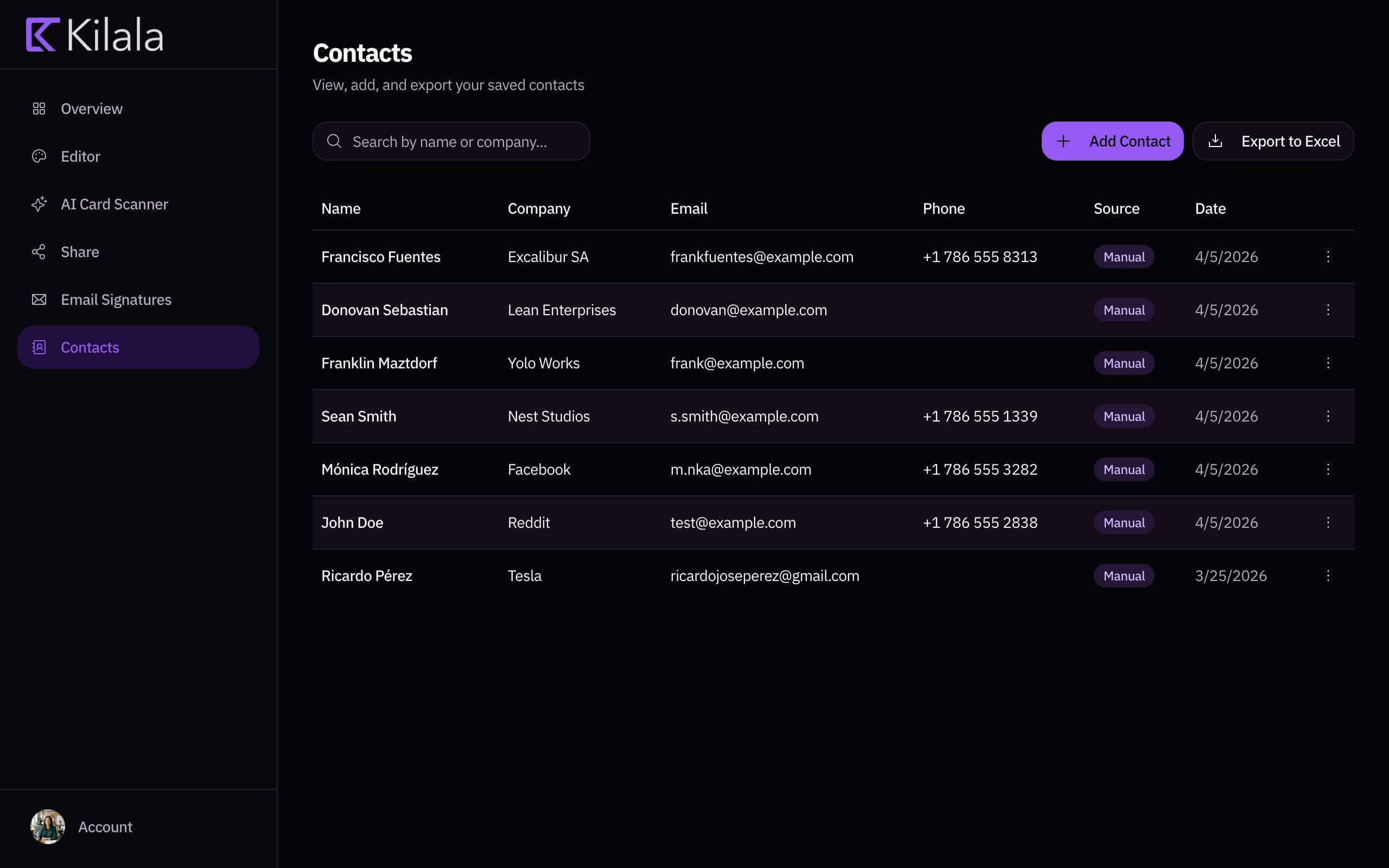
Scanned contacts go straight to your dashboard, searchable, exportable, and always accessible. No more shoeboxes of paper cards. Every contact from every event, in one place.
How It Works
Paper card to digital contact in three taps
Scan the Card
Open the scanner in your Kilala dashboard and point your camera at any paper business card. The AI reads it instantly.
Review & Confirm
Check the extracted details: name, email, phone, company, title, and more. Edit anything the AI missed or you want to adjust.
Save to Contacts
One tap saves the contact to your Kilala dashboard. Search, export, or follow up from one place.
Works With Any Card, Any Language, Any Layout
Vertical cards, horizontal cards, creative designs, bilingual text: the AI handles them all. Tested across thousands of card styles to extract accurately regardless of format.
Stop Typing. Start Connecting.
Every paper card you receive becomes a searchable digital contact
Conferences & Events
You'll collect dozens of cards at a single event. Scan them all on the spot and follow up the same day while you're still fresh in their memory.
International Contacts
Cards in Spanish, Japanese, Arabic, or any language. The AI reads multilingual cards and extracts details accurately regardless of the alphabet.
Card Backlog
Got a drawer full of paper cards from years of networking? Scan your entire backlog in minutes and finally have a digital record of every contact.
Team Networking
Sales reps, account managers, and founders can all scan cards to the same dashboard. Your team's entire network, organized and searchable.
Frequently Asked Questions
The scanner achieves high accuracy across standard business card layouts. It uses AI to understand context, not just read text, so it correctly identifies names, phone numbers, emails, and other fields even on creative or non-standard designs.
The AI scanner supports English and Spanish out of the box, with the ability to read many other languages. It handles bilingual cards and mixed-language text effectively.
No. The scanner works with reasonable lighting and does not require a perfectly flat or aligned card. That said, better photos produce better results, so hold the card steady and avoid heavy shadows.
Yes. After scanning, you'll see a preview of all extracted fields. You can edit, add, or remove any detail before saving the contact to your dashboard.
All scanned contacts are saved to your Kilala dashboard under Contact Management. You can search, filter, export, and manage them from there.
Yes. The AI card scanner is included with every Kilala account. Scan as many cards as you need.
Your network is bigger than the people you meet
Every LinkedIn connection, every email thread, every group chat: that's your real network. Stop hoping people remember you. Give them a link they can actually use.
No commitment. Cancel anytime.