Lead Capture Built Right Into Your Card
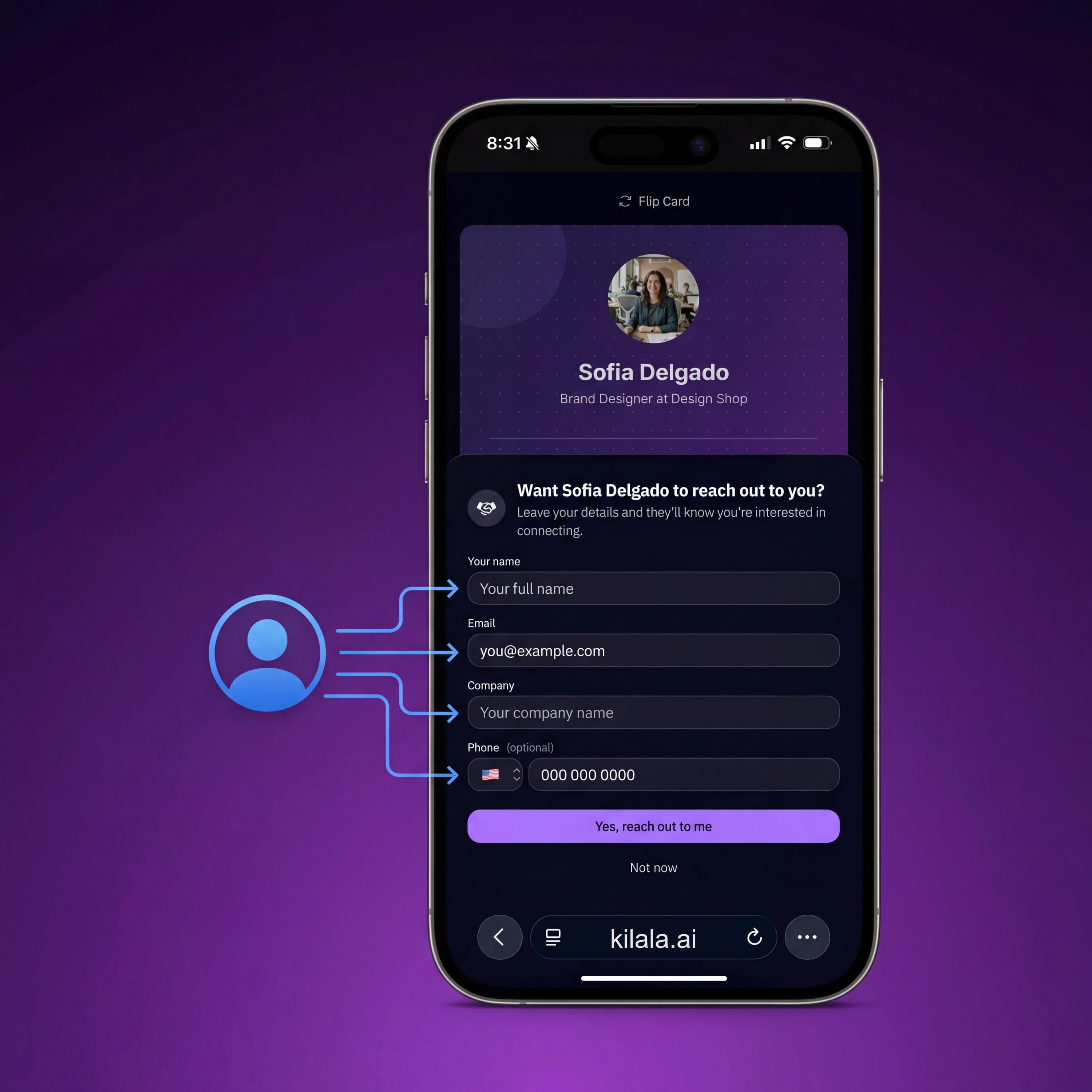
Every visitor to your digital card sees a contact form. They leave their name, email, and phone number, and the lead lands in your dashboard instantly. No extra tools, no CRM, no setup.
What Is Kilala Lead Capture?
Kilala's lead capture form is built directly into your digital business card. When someone visits your card link, they can fill out a short form with their name, email, and phone number. Every submission is saved to your dashboard, searchable, exportable, and ready for follow-up.
Passive Lead Generation
Your card doesn't just share your info. It collects theirs. Every time someone visits your link from an email signature, social bio, or QR scan, they have the option to leave their details. Leads come in even when you're offline.
Instant Notifications
Get notified the moment someone submits their info. Follow up while you're still on their mind, not days later when the connection has gone cold.
All Leads in One Dashboard
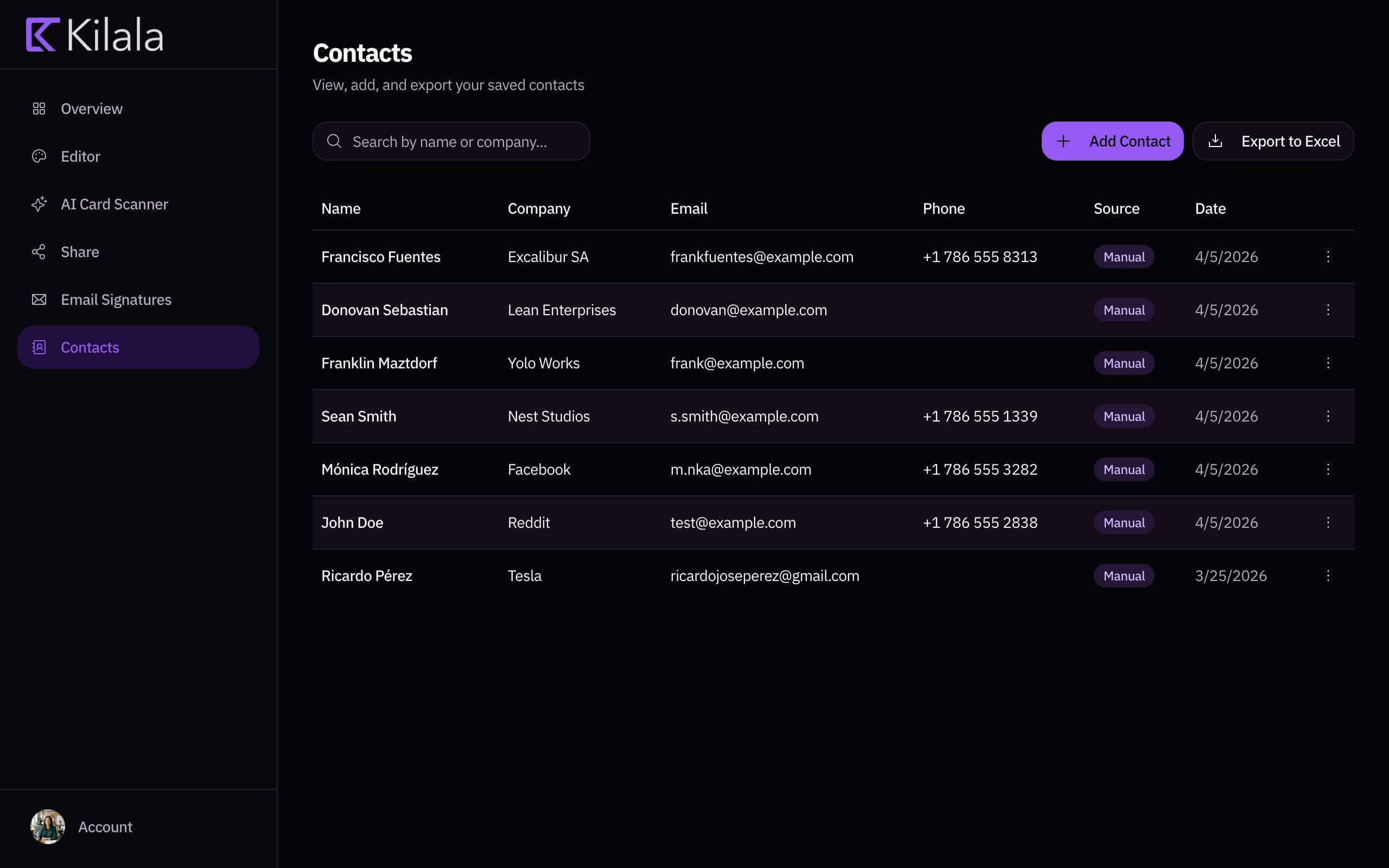
No spreadsheets, no CRM setup. Every lead from every card lands in your dashboard. Search by name, sort by date, export to Excel, and manage your pipeline without the overhead.
How It Works
Card visitor to qualified lead in three steps
They Visit Your Card
Someone clicks your link from a text, email, social bio, or QR scan. They see your full professional profile and a short contact form.
They Leave Their Info
Name, email, and phone number. That's all it takes. The form is simple, fast, and built into your card's design.
You Follow Up
The lead appears in your dashboard immediately. Review, export, or follow up from one place.
See which contact links visitors are clicking
Your Network, Measured
See who's visiting your card and who's converting. Your dashboard tracks views, lead submissions, and link clicks, so you know exactly how your card is performing.
Leads From Every Channel
Wherever you share your card, your lead form follows
Email Signatures
Every email you send includes your card link. Prospects who click through can leave their contact info immediately, turning cold outreach into warm leads.
Event Networking
Show your QR code at a booth, talk, or meetup. Attendees scan, view your profile, and submit their info, so you walk away with a list of leads, not a stack of paper.
Social Profiles
Your Kilala digital business card in your LinkedIn, Instagram, or X bio turns profile visitors into captured leads. No landing page needed.
Website & Portfolio
Embed your card link on your website or portfolio. Visitors who want to connect can submit their details in seconds without needing to find your email.
Frequently Asked Questions
The form collects name, email address, and phone number. It's intentionally short to maximize completion rates because every extra field reduces submissions.
Yes. You'll receive a notification when a new lead comes in. You can also check your dashboard at any time to review all submissions.
Yes. Export all leads to Excel from your dashboard. Import them into any CRM, email tool, or spreadsheet you use.
Yes. The lead capture form is optional. You can enable or disable it from your card settings at any time.
No limit. Every lead submitted to your card is saved and accessible from your dashboard.
Yes. Lead capture is a core feature included with every Kilala account.
Your network is bigger than the people you meet
Every LinkedIn connection, every email thread, every group chat: that's your real network. Stop hoping people remember you. Give them a link they can actually use.
No commitment. Cancel anytime.